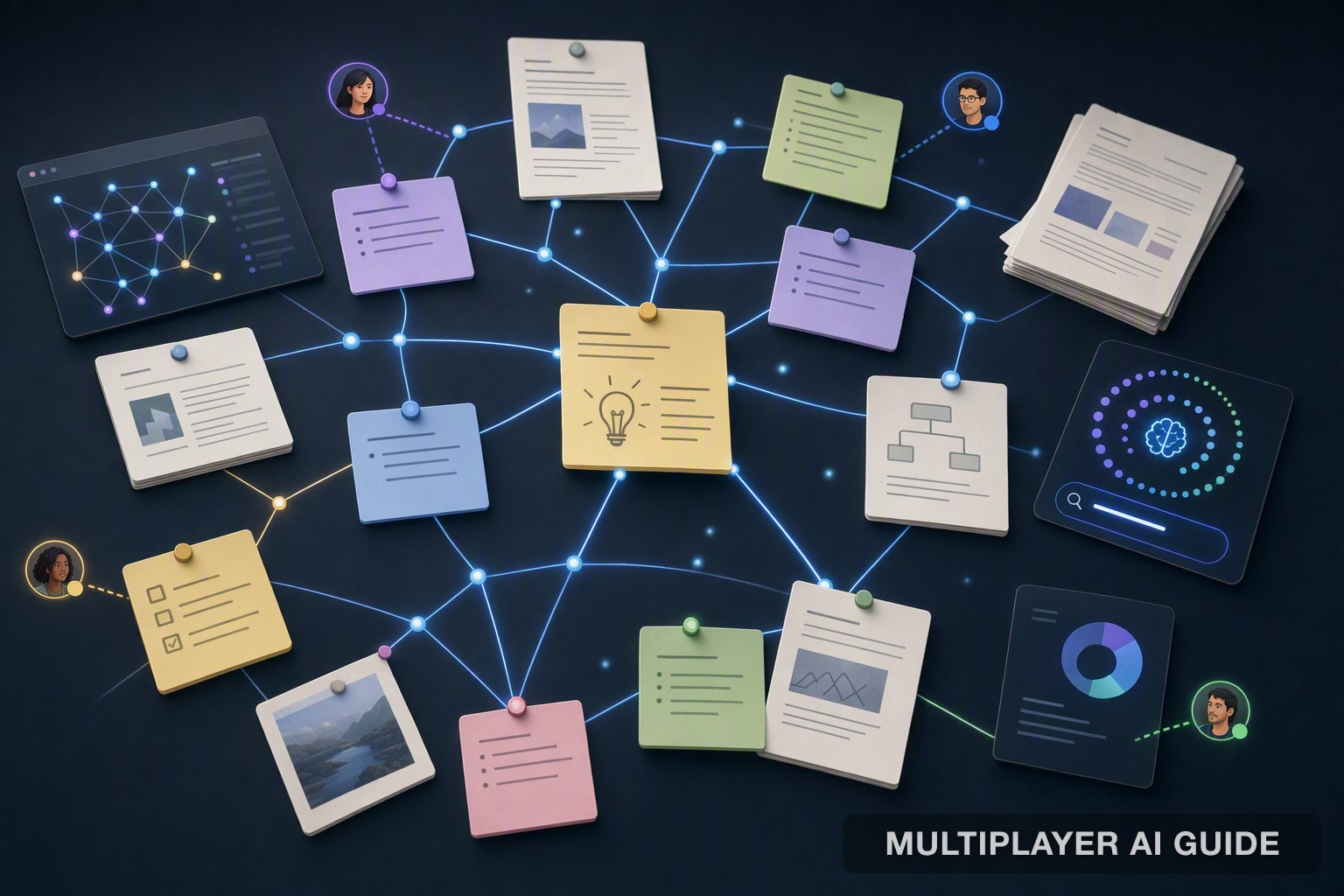
7 Obsidian Alternatives in 2026 That Actually Fit How You Work
We compared the top Obsidian alternatives for 2026, covering local-first control, real-time collaboration, AI-native search, and which tools work for individuals versus teams.
We compared the top Obsidian alternatives for 2026, covering local-first control, real-time collaboration, AI-native search, and which tools work for individuals versus teams.
Obsidian earned its following honestly. It stores every note as a plain Markdown file, on-device, under full user control, no proprietary format, no vendor who can lock anyone out. Bidirectional linking turns a pile of notes into an actual graph of ideas, and a plugin ecosystem numbering in the thousands means almost any workflow, from spaced-repetition flashcards to full task management, can be bolted on by someone who already built it. For a solo thinker who wants a local-first, endlessly extensible second brain, it's hard to beat.
The cracks show up at the edges of that design. Obsidian runs on local files, so it simply wasn't built for native real-time collaboration, the moment a teammate needs to co-edit a project doc, there's a wall. The same plugin ecosystem that makes it extensible also makes it brittle: update the app and a core workflow can break because a community developer went quiet. And because everything hinges on individual plugins built by volunteers, a workflow built around one uncommon plugin often has no direct equivalent anywhere else.
In this article, we compare 7 Obsidian alternatives, starting with PromptQL for teams whose real gap isn't note-taking at all, then moving through the local-first, cloud-native, and AI-native options that compete more directly on Obsidian's own turf.
Key Takeaways
Here's what the shift away from Obsidian looks like, broken down by the real reasons people leave:
- A different category entirely: PromptQL isn't a note-taking tool. For teams that need deterministic AI queries over live business data with an audit trail, that's a gap Obsidian was never built to close.
- Privacy-first replacement: Logseq mirrors Obsidian's local Markdown workflow but adds an open-source AGPL-3.0 license and active bi-monthly releases, no proprietary lock-in.
- Team collaboration reality: Notion remains the default for shared wikis and databases, but switching from Obsidian's Markdown vault to Notion's block-based system sacrifices offline access and data ownership.
- AI-native workflows: Tana Outliner redefines note-taking with AI-suggested prompts and a dynamic supertag graph, solving the unstructured complexity Obsidian's massive plugin ecosystem never fully could.
- No perfect mirror exists: Every alternative asks for a trade, privacy for collaboration, flexibility for structure, or ownership for AI capability.
What to Look for in an Obsidian Alternative
Before comparing specific tools, these are the questions that actually predict whether a switch will stick:
- Where does the data actually live? Local files, a self-hosted database, or a vendor's cloud all carry different guarantees around ownership and offline access.
- Does real-time collaboration matter, or is this a solo workflow? Local-first tools generally trail cloud-native ones here, that's a structural trade-off, not a bug either side will fix soon.
- How dependent is the current workflow on a specific plugin? Obsidian's plugin catalog rarely has direct equivalents elsewhere; auditing that dependency first avoids a painful surprise mid-migration.
- Does Markdown import cleanly, or does the structure get mangled? Plain-Markdown tools tend to import an Obsidian vault cleanly; block-based systems often don't.
- Is AI a bolt-on or a structural part of the tool? Some tools add AI as a plugin or add-on, others build the entire note-taking model around it.
Best Obsidian Alternatives
Each tool here makes a fundamental bet about where data lives and who controls it. The comparison below maps architecture, storage format, sync method, and AI integration, use it to rule out anything that conflicts with a non-negotiable: if data can't stay local, cross off Notion; if real-time sync is needed today, Logseq's database version isn't there yet.
| Tool | Architecture | File Format | Sync Method | AI Integration |
|---|---|---|---|---|
| PromptQL | BYOC, single-tenant VPC, or on-prem | Queries existing data infrastructure | Live, deterministic execution | Native, plan-based |
| Logseq | Local-first, open-source (AGPL-3.0) | Local Markdown / Org-mode | RTC sync (beta); file-based manual | None native; plugin-based |
| Notion | Cloud-native, proprietary | Proprietary blocks | Built-in cloud sync | Notion AI add-on |
| Tana Outliner | Cloud-native, proprietary | Nodes, fields, views | Built-in cloud sync | Native AI queries |
| Craft | Cloud-native, proprietary | Block-based documents | Built-in cloud sync | None native |
| Anytype | Local-first P2P, open-source | Protobuf objects | IPFS-based decentralized, E2E encrypted | None native |
| Zettlr | Local-first, open-source | WYSIWYG Markdown | File-based manual | None native |
With the landscape mapped out, here is how each option works in practice.
1. PromptQL
The tools elsewhere on this list store and retrieve personal knowledge. Teams that need an AI agent to query live databases, enforce role-based permissions down to the row, and produce deterministic results backed by an audit trail hit the limits of the note-taking category entirely. PromptQL fits that different problem, not as a note-taking replacement but as a complementary layer.
Where Obsidian organizes what a person already knows and has written down, PromptQL answers questions against live, governed business data nobody's written down anywhere, executing plan-based queries rather than retrieving static notes. They aren't competing for the same job: a vault holds personal thinking, PromptQL holds a team's live operational context. Many teams that use PromptQL still keep Obsidian, or one of the other tools here, running alongside it for personal notes.
Key features:
- Plan-based execution over live data: Rather than depending on RAG to summarize static notes, PromptQL executes plan-based queries directly against existing data infrastructure, with traceable output.
- Deployment control: Runs in a customer's own cloud (single-tenant VPC, BYOC, or on-prem), so sensitive data never leaves the environment it started in.
- Multiplayer coworker model: Operates with shared threads and a shared context wiki across a team, the same shared-knowledge instinct behind AI-powered wiki tools, while every query still respects individual access controls.
Best for: Teams that need deterministic AI execution over live enterprise data alongside whichever PKM tool handles personal thinking.
2. Logseq
Logseq is the closest thing to an Obsidian clone that doesn't require trusting a closed-source vendor. It stores everything as local Markdown or Org-mode files by default, matching Obsidian's file-over-app philosophy while adding the legal guarantee of an AGPL-3.0 license.
Both are local-first, plain-text, privacy-respecting tools, closer to each other than either is to a cloud app like Notion. Where Obsidian is document-based, each note a full page, Logseq is an outliner, every bullet an addressable block. Obsidian's plugin catalog runs several thousand deep against Logseq's low hundreds, and its mobile apps and large-vault performance are more mature. Logseq's real-time collaboration sync is still in beta, mirroring Obsidian's own collaboration gap for now.
Key features:
- Local-first storage: Notes live as plain Markdown or Org-mode files on-device, with no server required for core use.
- Active open-source development: The project has pulled in over 44,000 GitHub stars and ships releases roughly every two months, a cadence that signals active maintenance rather than abandonware.
- Block-level referencing: Every bullet point is an addressable block that can be referenced or embedded from anywhere, a finer granularity than linking to a whole note.
Best for: Solo researchers or privacy-conscious builders who want an Obsidian-like graph with an open-source future and don't need team editing yet.
3. Notion
Notion wins when the primary job is getting a team aligned in a shared, structured workspace. Its real-time editing and linked databases end the markdown-sync dance through Git or Dropbox that local-first tools require before two people can touch the same project brief.
File ownership is the central trade. Where Obsidian keeps local Markdown files a user owns outright, Notion moves everything into proprietary cloud storage with no local file access and limited offline support. In exchange, Notion adds native real-time multi-user editing that Obsidian doesn't have. Obsidian's Markdown doesn't import cleanly into Notion's block-based system either, a carefully linked vault becomes a reconstruction project going the other direction.
Key features:
- Native real-time collaboration: Multiple people can edit the same document simultaneously, with no manual sync step required.
- Linked databases: Structured views, relations, and filters sit on top of the same content, closer to a lightweight application builder than a plain notes app.
- Broad ecosystem integration: Notion AI and a wide range of third-party integrations layer on top of the base workspace.
Best for: Teams that need real-time, structured collaboration and are willing to trade local file ownership for it. Teams evaluating this trade-off from Notion's side, rather than Obsidian's, have their own set of AI-maintained documentation alternatives worth comparing.
4. Tana Outliner
Tana Outliner treats every note as a structured data object. The practical effect is an outline that builds a dynamic knowledge graph as you type, rather than a static folder structure.
Where Obsidian's graph is a byproduct of manual linking, Tana Outliner's supertag system builds structure automatically as content gets typed, surfacing related tasks, people, and references without a plugin doing the work. The trade runs the other way on ownership and openness: Tana Outliner is cloud-native and proprietary, with no local-first or self-hosted option the way Obsidian has by default.
Key features:
- Supertag system: Assigning a node a supertag like "Meeting" or "Project" surfaces every related task, person, and reference automatically, taxonomy that works for the user rather than a folder structure to fight.
- AI baked into the workflow: The tool suggests prompts as an outline develops, with AI credits included in the free tier for transcription, chat, and voice memos.
- Dynamic graph over static structure: The knowledge graph updates as content is added, rather than requiring manual linking to stay current.
Best for: Power users who want AI actively structuring ideas as they're captured, not just storing them after the fact.
5. Craft
Craft is the alternative for people who never loved Obsidian's plain-text minimalism in the first place. It's a native block-based editor built for Apple devices, where every document looks polished enough to share as a published page.
Where Obsidian is plain text that prioritizes portability and the Zettelkasten-style graph, Craft is a block-based visual editor that prioritizes how a document looks when shared. That polish comes at the cost of portability, content is locked inside Craft's proprietary format, a real export headache Obsidian's plain Markdown never creates.
Key features:
- Card-style sharing: A document styled with blocks and inline images can be shared as a link that presents the content as a designed page, not a plain text dump.
- Drag-and-drop structure: Block-based architecture means document sections can be rearranged like building blocks rather than requiring manual reformatting.
- Deep Apple ecosystem integration: Offline access is solid within Apple's hardware ecosystem specifically, though the sharing model here is document-to-viewer rather than the kind of live, multiplayer team collaboration Notion is built around.
Best for: Creatives, product managers, and anyone whose work product is visual presentation, and who lives inside Apple's hardware ecosystem.
6. Anytype
Anytype replaces files and folders with a local graph of typed objects, notes, tasks, contacts, connected by relations a user defines. Sync runs on IPFS-based peer-to-peer technology, end-to-end encrypted, with no central cloud involved.
Both are local-first, but Anytype goes further on the sync question. Where Obsidian's official sync is a paid, centralized service, Anytype syncs peer-to-peer with zero-knowledge encryption and no central server able to read the content at all. Anytype trades Obsidian's simpler file-and-folder model for a more structured, object-based system that takes longer to learn.
Key features:
- Object-based data model: Everything is a programmatic object with custom types and relations, closer to querying a local database than browsing folders.
- Zero-knowledge P2P sync: Data syncs directly between devices via IPFS, encrypted end-to-end, with no server able to read the content in transit.
- No central cloud dependency: The absence of a central ownership model appeals to teams whose data localization requirements make even Logseq's optional cloud sync feel like too much exposure, the same concern that shows up when evaluating enterprise search tools that touch sensitive internal data.
Best for: Privacy-focused users and teams who find even Logseq too conventional and want a fully decentralized sync model by default.
7. Zettlr
Zettlr is the tool for people writing a thesis, not a task list. It's an open-source Markdown editor purpose-built for academic writing workflows.
Where Obsidian is a general-purpose PKM tool that can be bent toward academic writing with the right plugins, Zettlr is purpose-built for that one job from the ground up, with native Zotero integration and Zettelkasten ID generation Obsidian would need multiple plugins to approximate. The trade is breadth: Zettlr doesn't try to be a daily-notes tool or a team wiki, and doesn't pretend to.
Key features:
- Native Zotero integration: Citations import directly into a document, with a reference database managed alongside the notes themselves.
- Zettelkasten ID generation: Creates a deliberate, methodical knowledge graph structure, closer to what dedicated knowledge graph tools aim for, rather than the more organic sprawl Obsidian's linking encourages.
- Distraction-free writing mode: Strips away every interface element except the text, the opposite of Notion's block playground or Tana Outliner's AI-suggested prompts.
Best for: Researchers managing long-form writing projects with hundreds of citations who need the tool to get out of the way of the writing itself.
How to Choose the Right Tool for Yourself
The right fit depends on which trade-off actually matters most:
- Need deterministic AI over live business data, not personal notes: PromptQL, alongside whichever PKM tool fits daily thinking.
- Want an open-source, local-first clone of Obsidian: Logseq, if team editing can wait.
- Need real-time team collaboration today: Notion, accepting the cloud dependency and the Markdown import friction.
- Want AI to actively structure notes, not just store them: Tana Outliner.
- Care most about visual, shareable documents on Apple devices: Craft.
- Want zero-knowledge, fully decentralized sync: Anytype.
- Writing long-form academic work with heavy citation management: Zettlr.
No single tool replicates Obsidian's exact blend of local plain-text storage, plugin extensibility, and graph visualization. Most people end up choosing based on which one thing they're not willing to trade away.
Conclusion
No single tool in 2026 replicates Obsidian's exact blend of local plain-text storage, plugin extensibility, and graph visualization. What exists instead is a clear fork in the road. Choose Logseq for an open-source Obsidian clone with a privacy-first license. Choose Notion when real-time team collaboration matters more than who owns the server. Choose Tana when you want AI to do the structuring for you.
For application builders who need something the note-taking category can't provide, deterministic AI that queries live enterprise data with audit trails and per-user permissions, you can use a tool like PromptQL as a complementary execution layer alongside whichever PKM tool fits your thinking style. The PKM picks handle your personal knowledge; PromptQL handles the data that runs your business.
Frequently Asked Questions
What are the best alternatives to Obsidian for personal knowledge management in 2026?
Logseq leads for privacy-focused users with local Markdown storage and open-source licensing. Tana wins for AI-native workflows with supertags and built-in query support. Notion remains the top collaborative choice for teams.
How do Notion, Logseq, and Tana compare on pricing?
Logseq is free forever with no paid tiers. Notion offers a free plan with paid starting around $10/month. Tana includes 50 free AI queries per month, with paid plans starting at $30/month billed monthly.
What should I consider when switching from Obsidian to another note-taking tool?
Audit your plugin dependency first, Obsidian's 1,500-plus community plugins rarely have direct equivalents. Verify Markdown import compatibility: Logseq handles Obsidian vaults cleanly; Notion's block-based system does not. Confirm your collaboration needs before choosing.
Why choose a cloud-based tool like Notion over a local-first tool like Logseq?
Choose Notion when native real-time collaboration and shared team databases outweigh data ownership concerns. Choose Logseq when offline access, plain Markdown files you control, and an open-source license are non-negotiable. The divide is cloud convenience versus local sovereignty.
How can teams find a company-wide AI note-taking solution that respects security and privacy?
Look for tools that offer self-hosting, end-to-end encryption, and role-based access controls. For enterprise AI that queries live data rather than just retrieving notes, a deterministic execution layer like PromptQL running in your own cloud environment can complement your PKM stack.
What are the most important enterprise security features in modern knowledge management platforms?
Open-source licenses let your security team audit the code directly, which proprietary cloud tools cannot offer.
Sources
- Overview | Docs | PromptQL - promptql.io
- PromptQL | Multiplayer AI with shared context. - promptql.io
- Top 9 Obsidian Alternatives to Take Better Notes in 2026 | Lindy - www.lindy.ai
- Logseq Vs Obsidian: Which Note-Taking App is Best in 2026? - clickup.com
- Obsidian vs. Buildin 2026: Local-First vs. Cloud PKM | Buildin - buildin.ai
- Best Obsidian Alternatives for Note-Taking (2026) | Taskade Blog - www.taskade.com
- Import notes - Obsidian Help - help.obsidian.md
- GitHub - stevelab1/logseq-fork-2026: A privacy-first, open-source platform for knowledge management and collaboration. Download link: http://github.com/logseq/logseq/releases. roadmap: https://discuss.logseq.com/t/logseq-product-roadmap/34267 · GitHub - github.com
Last verified: 2026-09-08