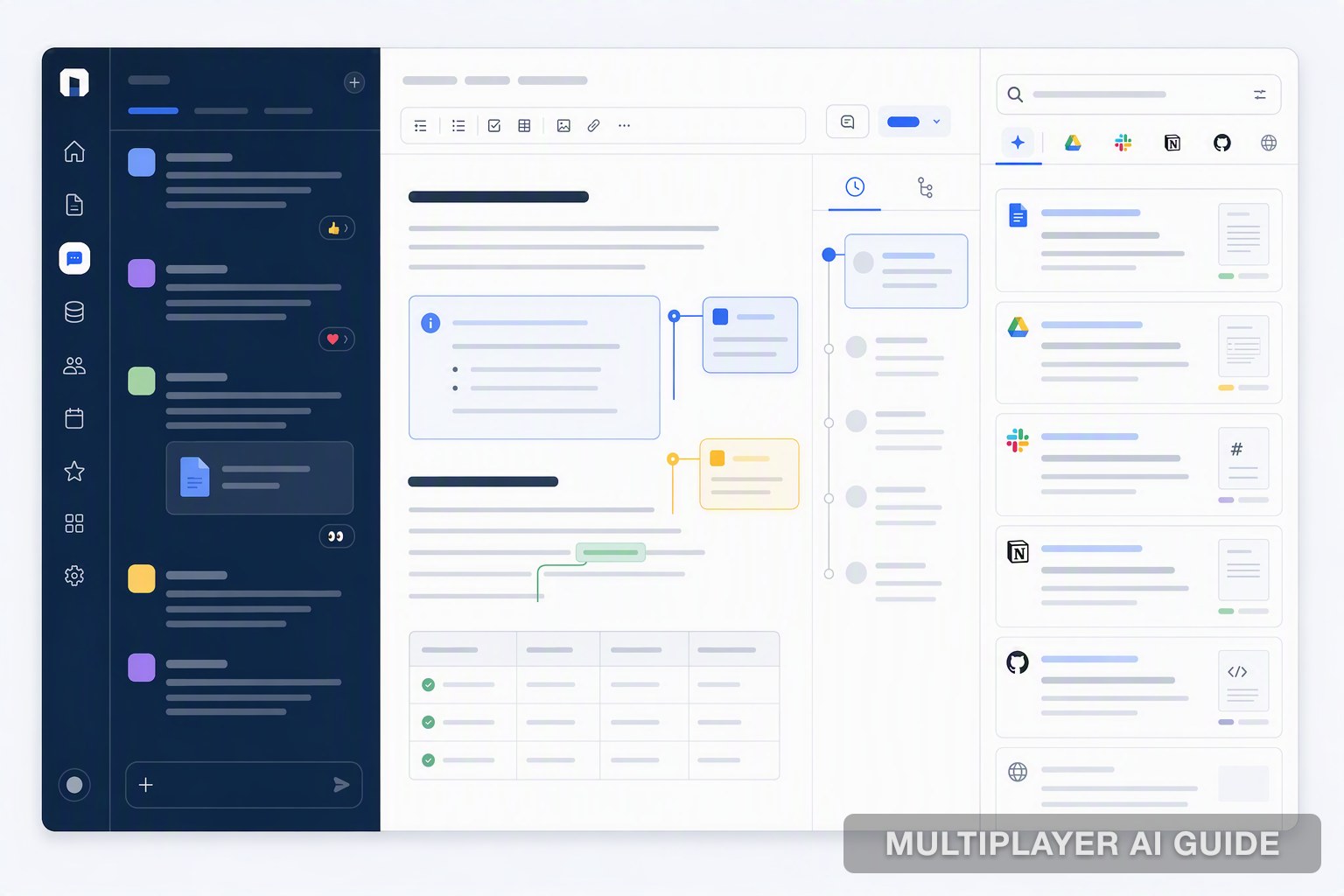
Best Alternatives to Slack's AI for Team Knowledge
Five alternatives to Slack's AI for team knowledge: PromptQL (live semantic layer, shared wiki, corrections stick team-wide), Glean (250+ connectors, indexed snapshot, best for unified search across tools), Dust (agents grounded in Notion, GitHub, Salesforce, callable directly from Slack), Question Base (Slack discussions converted to a searchable knowledge base with human escalation), and Guru (verified knowledge cards surfaced proactively via AI Suggest). Slack's own AI summarizes and searches Slack history but can't reach your CRM, database, or Notion docs.
Slack's own AI is a reasonable starting point for summarizing and searching what's already inside Slack, but it was never built to be a team's actual knowledge layer. Each alternative here closes that gap differently: some by indexing more broadly, some by staying live, some by adding human verification.
A decision buried in a Slack thread might as well not exist. Nobody can find it later, not the person who made the call, not the team who needs it next quarter, and it scrolls into oblivion the moment the channel moves on. Slack's own AI helps with some of this, summarizing, searching, clarifying a message, but it doesn't fix the deeper problem: your team's actual knowledge is scattered across Slack, docs, a CRM, and a data warehouse, and Slack's AI only ever sees the Slack part.
This guide compares the strongest alternatives built specifically to solve that gap.
What Slack's own AI actually does, and where it stops
Slack AI covers channel summaries, search across message history, and clarifying internal jargon or acronyms in a message. For teams already paying for Slack, that's a genuinely useful, low-friction starting point.
But it's still boxed in by where it lives. A few things it just can't do:
- Answer a question using what's sitting in Notion, a CRM record, or a database, since it only ever sees what's inside Slack
- Make a correction stick anywhere beyond the one thread it was made in, so the same wrong answer tends to resurface in a different channel a few weeks later
- Turn a good answer into something reusable, a conversation gets summarized once and then it's gone, not saved as knowledge the next person can draw on
That's the gap the tools below are actually built to close.
Best alternatives to Slack's AI for team knowledge
| Tool | Knowledge approach | Query logic | Deployment | Compliance posture |
|---|---|---|---|---|
| PromptQL | Live semantic layer, self-improving shared wiki, no ingest latency | Reasons over a semantic layer that decouples business intent from raw schema execution | SaaS, with dedicated VPC or bring-your-own-cloud options | Enterprise-grade controls, permissions follow the actual user |
| Glean | Indexed graph built from 250+ connectors, searched as a snapshot | Enterprise graph search over an ingested replica, not live data | SaaS | Enterprise-grade audit controls |
| Dust | Multiplayer platform where agents pull from shared, connected sources beyond Slack | Agents query Notion, GitHub, Google Drive, Salesforce, and Zendesk directly, callable from Slack | SaaS | Access scoped per connected source and workspace admin controls |
| Question Base | Converts Slack discussions and connected docs into a structured, searchable base | Three-layer architecture: Slack integration, doc-platform sync, NLP answering engine that escalates when unsure | SaaS | Answers respect source-platform permissions, escalates rather than guesses |
| Guru | Verified knowledge cards surfaced proactively in the flow of work | AI Suggest matches context to existing cards, with reaction-based creation and verification | SaaS | Role-based access controls |
1. PromptQL
PromptQL is a multiplayer AI workspace built to replace Slack as the team's default place for asking and answering questions, rather than sitting inside Slack as an add-on bot. Where Slack's AI can only summarize and search what's already been said in Slack, PromptQL reasons over a semantic layer built from a team's actual data, so a question doesn't depend on four different systems agreeing on the same definition.
How it works: Instead of generating queries directly against a raw, cryptic schema, PromptQL reasons through a semantic layer that translates a business question into the right underlying logic first. It reads live from sources like Slack, Google Docs, Snowflake, PostHog, and Salesforce CRM at the moment a question is asked, rather than working off an indexed snapshot that can go stale.
How knowledge stays current: The wiki PromptQL builds from this process is shared, versioned, and comes with a full audit trail, and it can be shared with others via a public link with no signup required for viewers. A correction made once by one person updates the answer for the whole team going forward, instead of living in a single reply only that person sees.
Security and permissions: Access follows the permissions of the actual person asking, rather than a shared bot identity with broad standing access. Enterprise plans are described as offering a dedicated VPC or bring-your-own-cloud deployment for teams with stricter data residency needs.
Limitations:
- Requires connecting and configuring real data sources rather than working out of the box against a Slack export
- Repositions the team away from Slack as the default hub, which is a bigger adoption shift than adding a bot inside Slack
2. Glean
Glean connects to a team's broader stack, Slack, Google Docs, a CRM, and more, and pulls it into a single indexed graph. It solves a specific version of the fragmentation problem: a conversation that's disappeared from Slack search still exists as a record in Glean's index. That makes it a strong fit for teams whose real problem is findability across many tools, not necessarily live, up-to-the-minute answers.
How it works: With over 250 connectors, Glean turns a sprawl of SaaS tools into one queryable search surface, so a team doesn't need to remember which tool and which channel a piece of information originally lived in.
How knowledge stays current: Glean's index is a snapshot, refreshed on a schedule, not a live read of the underlying source. That's a real tradeoff against something built for live queries: the index survives a deleted thread, but it can lag behind whatever changed in the source system since the last sync.
Security and permissions: Glean is built for enterprise deployment, with audit controls and permissions that generally mirror what a user is already allowed to see in the connected source systems.
Limitations:
- The index is a snapshot, not a live feed, so it's a better fit for searching what's already known than for querying a fast-changing data source directly
- Works best when a team's problem is unified search across many tools, less suited to a team that wants to skip building an ingestion pipeline first
3. Dust
Dust is a multiplayer platform where people and AI agents work from shared context across an organization, callable directly from Slack. The distinction from Slack's own AI is what those agents can actually reach: rather than being limited to Slack history, Dust agents pull from Notion, GitHub, Google Drive, Salesforce, and Zendesk, so they can answer questions that depend on context living well outside Slack.
How it works: Teams build specific agents scoped to a task or a connected source, then call them directly from Slack by @-mentioning them. One team built an agent that pulls from their codebase, internal documentation, and past Slack threads to answer engineering questions directly in-channel, avoiding an interruption to a colleague for something already documented somewhere in the stack.
How knowledge stays current: Teams review agent responses and refine the underlying knowledge sources and agent configuration based on that feedback, a more human-curated refinement loop than an automatic correction mechanism. Reported adoption has been strong in practice, including one support team reaching full daily usage across their organization and cutting ticket closing time substantially.
Security and permissions: A workspace admin enables the Slack integration and controls which sources get connected, so access is scoped deliberately at rollout rather than opened broadly by default.
Limitations:
- Knowledge freshness depends more on teams actively refining agents than on an automatic, always-current mechanism
- Best suited to teams willing to build and maintain specific agents per use case, rather than one general-purpose assistant
4. Question Base
Question Base transforms Slack into a searchable knowledge hub by connecting directly to a team's official documentation sources, not just Slack chat history, aiming to deliver verified answers rather than an AI's best guess at interpreting past conversations.
How it works: The system runs across three layers: a Slack app integration that manages authentication and monitors relevant events, a sync layer connecting to platforms like Confluence, Notion, and Google Drive, and an answering engine that uses semantic search to match a question's intent to the right document.
How knowledge stays current: Admins control which spaces or folders sync and how often content refreshes, and the system automatically detects and saves important information as it comes up in Slack discussions. When it can't confidently answer a question, it escalates to a human expert or a designated support channel instead of guessing.
Security and permissions: Synced content carries metadata from the source platform, including access permissions, so answers respect the same boundaries as the original document.
Limitations:
- Answer quality depends on how well-maintained the connected documentation sources actually are
- Built more around retrieval and escalation than live reasoning across a data source
5. Guru
Guru is built around a different premise than search: instead of requiring someone to look something up, it puts a verified answer in front of them inside the tools they're already using. It connects your team to verified answers from across apps, documents, and Slack conversations without breaking their workflow.
How it works: Reaction-based actions let anyone turn a Slack message into a knowledge card, search with a slash command, or trigger a search by reacting to a message, and AI Suggest proactively surfaces relevant cards as a conversation unfolds.
How knowledge stays current: Every card carries an assigned verifier and a review schedule. Trending topics detection identifies commonly asked questions so a team can fill a content gap before it becomes a repeated blocker, and outdated cards get flagged for the assigned owner to confirm or update.
Security and permissions: Access is managed through role-based controls, so verified content can be scoped to the right audience rather than shared indiscriminately.
Limitations:
- Not built for long-form document creation or a deep page hierarchy
- Verification still depends on a person confirming a card, the system flags it, but doesn't rewrite it automatically
How to choose
The honest answer depends less on which tool has the most features and more on what's actually breaking for your team right now, findability, freshness, live data access, or just getting an answer in front of someone before they think to ask. A few starting points:
- Want to replace Slack as the default place your team asks and answers questions, with corrections that stick permanently: PromptQL is the realistic pick
- Your core problem is unified search across many SaaS tools, not live queries: Glean
- Need agents grounded in a broad set of connected tools, willing to build and maintain them per use case: Dust
- Want Slack conversations themselves converted into a structured, searchable base with human escalation as a safety net: Question Base
- Need verified answers surfaced proactively without anyone searching: Guru
Conclusion
Slack's own AI is a reasonable starting point for summarizing and searching what's already inside Slack, but it was never built to be a team's actual knowledge layer. Each alternative here closes that gap differently: some by indexing more broadly, some by staying live, some by adding human verification. The right one depends on whether the real problem is findability, freshness, or simply getting an answer in front of someone before they have to ask.
Frequently Asked Questions
What are the best alternatives to Slack AI for team knowledge management?
It depends on your primary need. Glean excels at unifying search across your SaaS stack via an enterprise graph. PromptQL provides live context from unstructured data without ingestion. Mattermost and Rocket.Chat are the best fits for self-hosted, compliance-first environments that require full data sovereignty.
How does PromptQL compare to traditional enterprise AI search tools?
Traditional tools index data into a static snapshot. PromptQL reads sources like Slack and Snowflake live, building a self-improving wiki as it works. It uses a semantic layer to translate business questions, achieving 94.15% accuracy on complex database queries, rather than relying on brittle keyword matching.
What features make a knowledge management tool both powerful and secure?
Power comes from live data access and semantic understanding, not just summarization. Security demands single-tenancy, dedicated VPC or self-hosted models, and full audit trails. The most secure tools scope permissions end to end, ensuring retrieval, creation, and updates all respect the user's identity.
Can AI tools actually unify data from Slack, Google Docs, Snowflake, and CRMs?
Yes, through two distinct methods. Glean uses over 250 connectors to index and graph this data. PromptQL navigates it live, serving context from Slack, Snowflake, PostHog, and Salesforce CRM simultaneously, translating different SQL dialects and unstructured text into one shared, queryable context layer.
How does shared wiki functionality improve team knowledge retention?
It prevents knowledge from vanishing when employees leave or conversations get deleted. A shared wiki automatically captures decisions and corrections, creating a versioned, searchable System of Context. One correction from an engineer fixes the institutional record for everyone, permanently.Look for self-hosted deployment models and transparent audit trails. For true compliance, you need control over data residency and encryption keys, not just a vendor's certification claims. Mattermost and Rocket.Chat offer this via on-premise deployment, while PromptQL lists dedicated VPC and BYOC options.
Last verified: 2026-08-17